
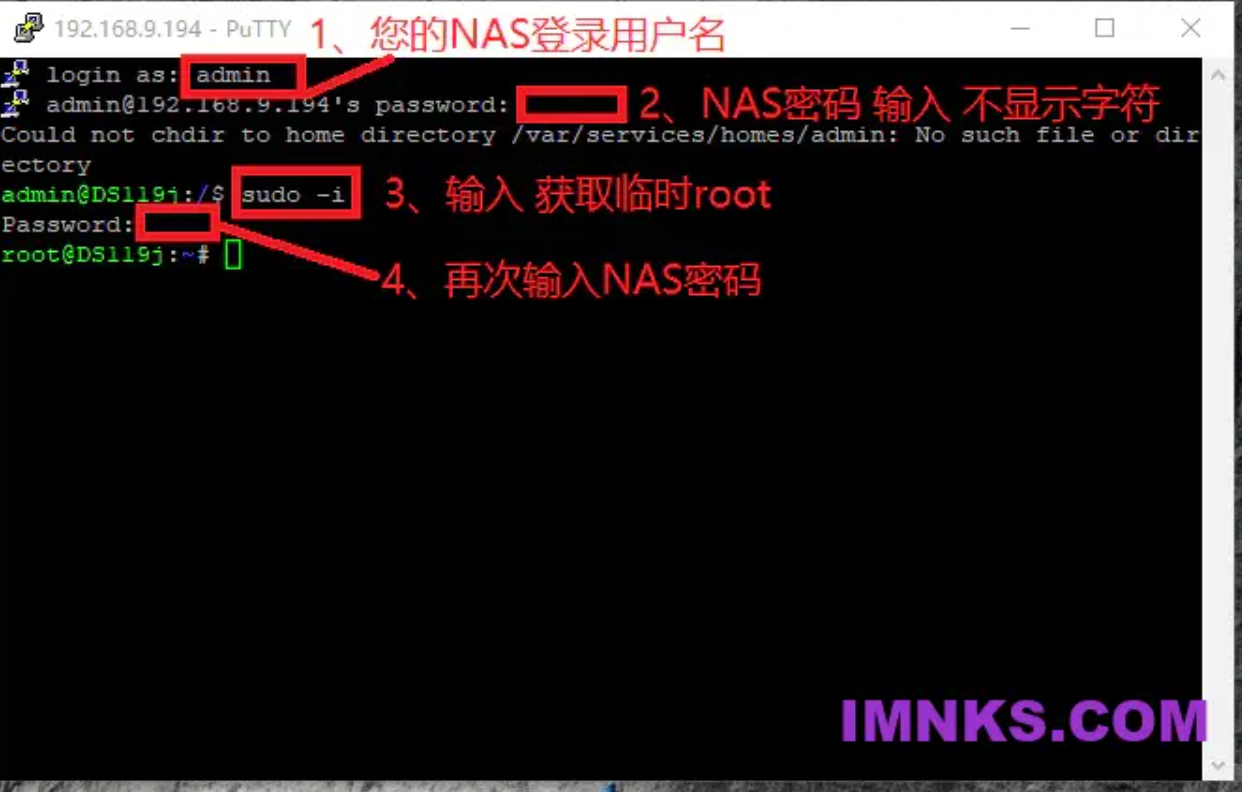
SSH连接群晖
AME3.x激活补丁
只适用于x86_64的:DSM7.x Advanced Media Extensions (AME)版本3.0.1-2004、3.1.0-3005
# DSM7.1 AME版本3.0.1-2004
curl http://code.imnks.com/ame3patch/ame71-2004.py | python
# DSM7.2 AME版本3.1.0-3005
curl http://code.imnks.com/ame3patch/ame72-3005.py | python
# DSM7.2.2 AME版本4.1.0-4005
wget https://dsm.ainas.cc:88/Script/videostation_for_722.sh -O videostation_for_722.sh && chmod +x videostation_for_722.sh && ./videostation_for_722.sh
修复VideoStation对 DTS、EAC3 和 TrueHD 的支持
支持群晖全部机型,支持DSM6.x、7.x,需要提前安装ffmpeg套件!!!2023.6.4更新补丁版本v2.0
(DTS or EAC3 or TrueHD) + (Any non HEVC standard video format): ✅ OK
(no DTS, no EAC3, no TrueHD) + (HEVC): ✅ OK
(DTS or EAC3 or TrueHD) + (HEVC): ⚠️ 不支持
#注意注意注意:末尾的 -v 5 按照自己安装的ffmpeg版本修改 4 5 不建议6,脚本加了代理国内测试OK
curl https://mirror.ghproxy.com/https://raw.githubusercontent.com/AlexPresso/VideoStation-FFMPEG-Patcher/main/patcher.sh | bash -s -- -p https://mirror.ghproxy.com/https://raw.githubusercontent.com -v 5一键卸载
curl https://mirror.ghproxy.com/https://raw.githubusercontent.com/AlexPresso/VideoStation-FFMPEG-Patcher/main/patcher.sh | bash -s -- -p https://mirror.ghproxy.com/https://raw.githubusercontent.com -a unpatch一键修复视频转码
支持x86_64机型,支持DSM6.0 7321-0到7.1.1 42962-4,暂不支持7.2
#执行,选1
curl https://mirror.ghproxy.com/https://raw.githubusercontent.com/apriliars3/synocodectool-patch/master/patch.sh | bash -s -- -p
#重启生效
reboot
一键更新CA证书
解决DSM6.x https连接出错问题,比如添加套件源、github下载、docker拉取、pt bt的tracker连接等等!!!
支持群晖全部机型,立即生效不需要重启系统。
#先同步时间
/usr/sbin/ntpdate -u ntp1.aliyun.com
#6.2.x
wget --no-check-certificate http://curl.se/ca/cacert.pem && mv -f cacert.pem /etc/ssl/certs/ca-certificates.crt
#6.1.x估计需要下面的命令解决
wget --no-check-certificate http://curl.se/ca/cacert.pem && mv -f cacert.pem /etc.defaults/ssl/certs/ca-certificates.crt
一键开启root修改密码
#开启允许root登录,最后IMNKS.COM是密码,自行修改!!!修改!!!修改!!!
chmod 755 /etc/ssh/sshd_config && sed -i 's/#PermitRootLogin prohibit-password/PermitRootLogin yes/g' /etc/ssh/sshd_config && synouser --setpw root IMNKS.COM
#关闭允许root登录,非必要或者使用后建议关闭!!!!!!关闭!!!!!!
sed -i 's/PermitRootLogin prohibit-password/#PermitRootLogin yes/g' /etc/ssh/sshd_config
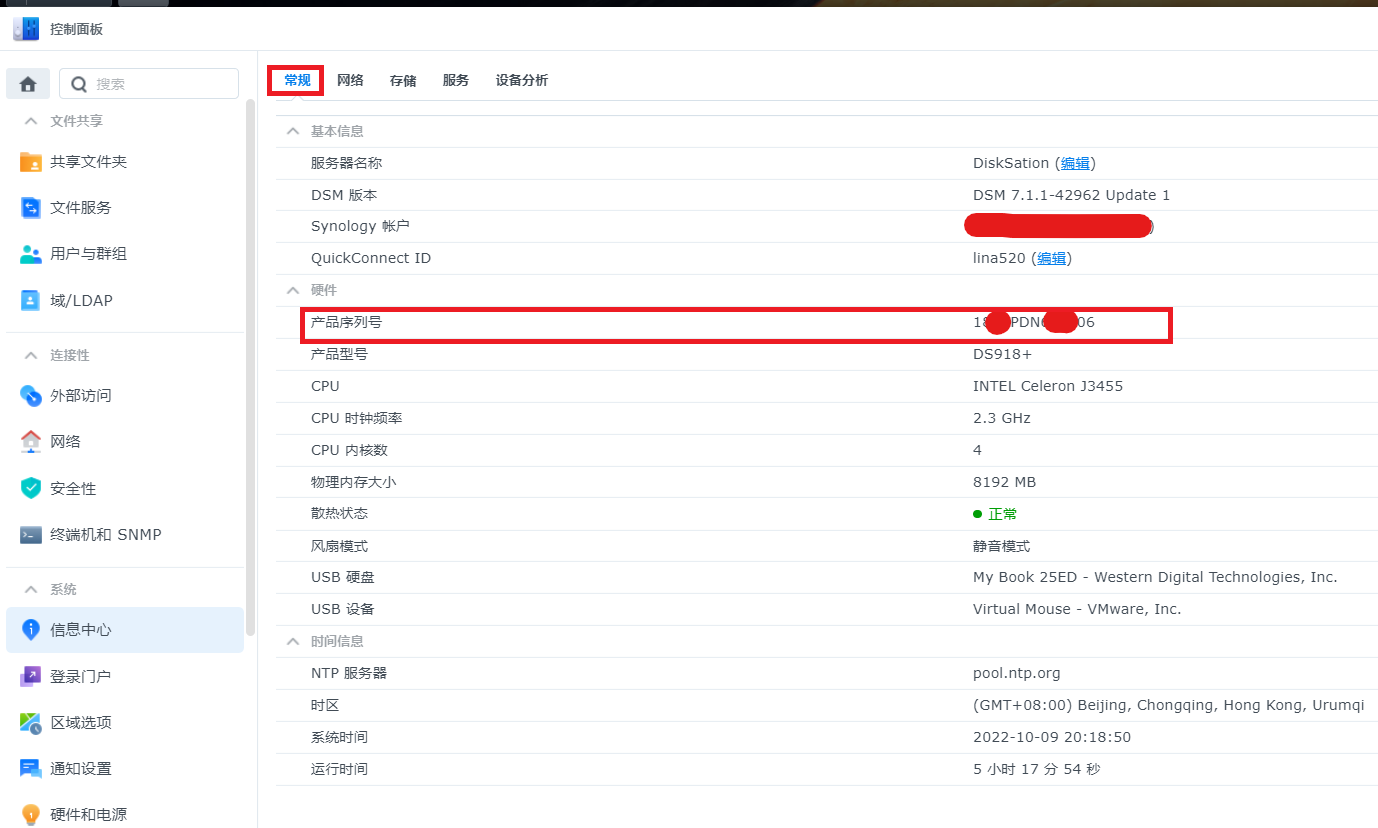
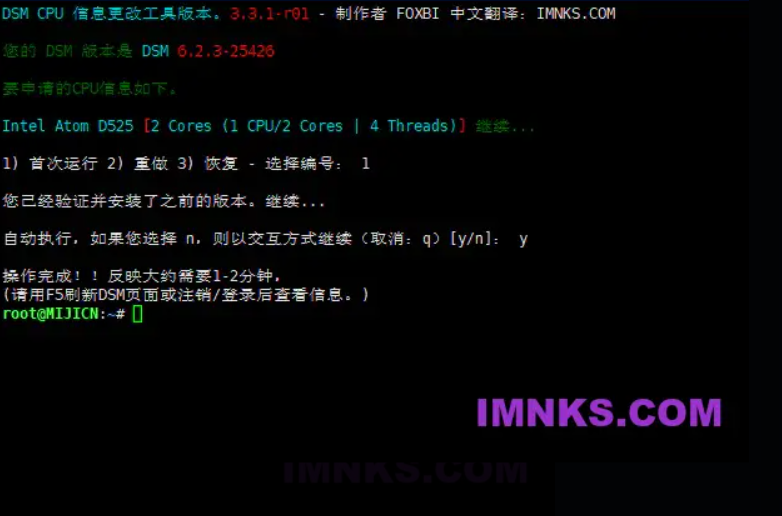
一键修复正确显示CPU型号
2023.6.11更新新v4.2.1-r01,新增全自动运行无需选择,支持DSM6、7-7.2,本站独家中文翻译!
支持x86_64机型
#全自动运行修改版本,无需再选择,执行完毕立即生效,去刷新几次浏览器
curl http://code.imnks.com/ch_cpuinfo/ch_cpuinfo_cn.sh | bash#手动运行修改版本。。。
wget -O ch_cpuinfo_cn.sh http://code.imnks.com/ch_cpuinfo/ch_cpuinfo_cn2.sh && sudo bash ch_cpuinfo_cn.sh第一次运行 选择1 y y,安装过其它版本的选择2 y y
第一次运行 选择1 y y,安装过其它版本的选择2 y y
第一次运行 选择1 y y,安装过其它版本的选择2 y y
解决TMDB无法连接的问题
两种方法一键更新api.themoviedb.org、image.tmdb.org、github.com的IP解析
如更新有误,可以在 控制面板-网络 里修改 系统名称 即可清空自定义hosts
#自动筛选ip,@裙下孤魂 2023.10.16制作,全自动更新!默认自动更新tmdb、themoviedb、github
curl -L https://www.ainas.cc:88/Patch/hosts-auto1007.sh | bash一键添加M2存储
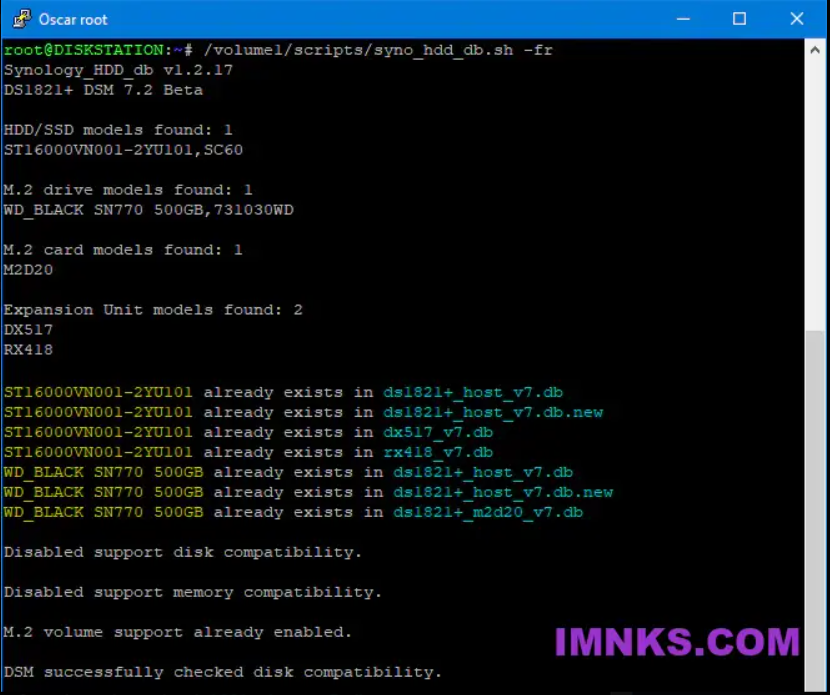
Add your SATA or SAS HDDs and SSDs plus SATA and NVMe M.2 drives to your Synology’s compatible drive databases, including your M.2 card and Expansion Unit databases.
The script works in DSM 7 and DSM 6.
#已添加github下载代理
curl https://mirror.ghproxy.com/https://raw.githubusercontent.com/007revad/Synology_HDD_db/main/syno_hdd_db.sh | bash -s -- -nr
#重启生效
reboot